Start with CRM: How AI Can Understand Customers, Opportunities, and Follow-up History
Most CRMs already hold customers, opportunities, contacts, and activity history, but AI often stays outside the workflow. The useful path is to let AI understand those business objects under your permissions, not export the data for one-off analysis.

If a company can choose only one system to connect to AI first, I would start with CRM.
The reason is simple: CRM is close to revenue.
Who the customer is, who owns the relationship, where the opportunity stands, whether the quote has been sent, what happened in the last conversation, which accounts are going cold, which deals look promising but have not moved - these questions come up every day. They also consume a surprising amount of management time.
In many companies, the CRM is still mostly a record box. Sales reps enter notes, managers export reports at the end of the month, and leadership asks in a meeting, “What is happening with this account?” Then everyone goes back to the records, asks the account owner, and patches together another spreadsheet.
If AI is going to enter real business operations, CRM is one of the most natural entry points.
Do not start with “AI that sells.” Start with AI that understands customers.
When people hear “AI plus CRM,” they often jump straight to automatic emails, automatic calls, and automatic selling.
That is too early.
For most businesses, the first useful stage is not asking AI to sell for you. It is asking AI to answer basic business questions:
- What has happened with this customer recently?
- Why has this opportunity been stuck?
- Which accounts have not been touched for a long time?
- Which high-value deals are at risk of slipping?
- Which customers should the sales manager review next week?
These questions sound simple, but they are not easy to answer in a traditional CRM. The answer is usually scattered across accounts, contacts, opportunities, activities, quotes, contracts, support cases, and notes.
A human can piece that together, but it is slow. If AI can connect those objects under the same permissions as the user, it becomes a practical sales management assistant.
A concrete picture
Imagine asking:
“Show me all opportunities above $200,000 this quarter that have not been updated in two weeks.”
An AI connected to the CRM should not ask you to export a spreadsheet first. It should be able to do three things.
First, it understands what an opportunity is: amount, stage, expected close date, owner, account, and last activity time.
Second, it understands the filters: this quarter, above $200,000, and no update in two weeks.
Third, after it gets the results, it should do more than return a table. It should summarize risk:
- Which high-value deals have no recent owner activity;
- Which opportunities are close to their target close date but still in an early stage;
- Which accounts have unresolved support cases;
- Which records are missing a clear next step.
At that point, AI is no longer a chat box. It is a business analysis layer on top of CRM.
Why many CRMs are not ready for AI
The blocker is usually not the model. It is the CRM itself.
Most CRM environments have three problems.
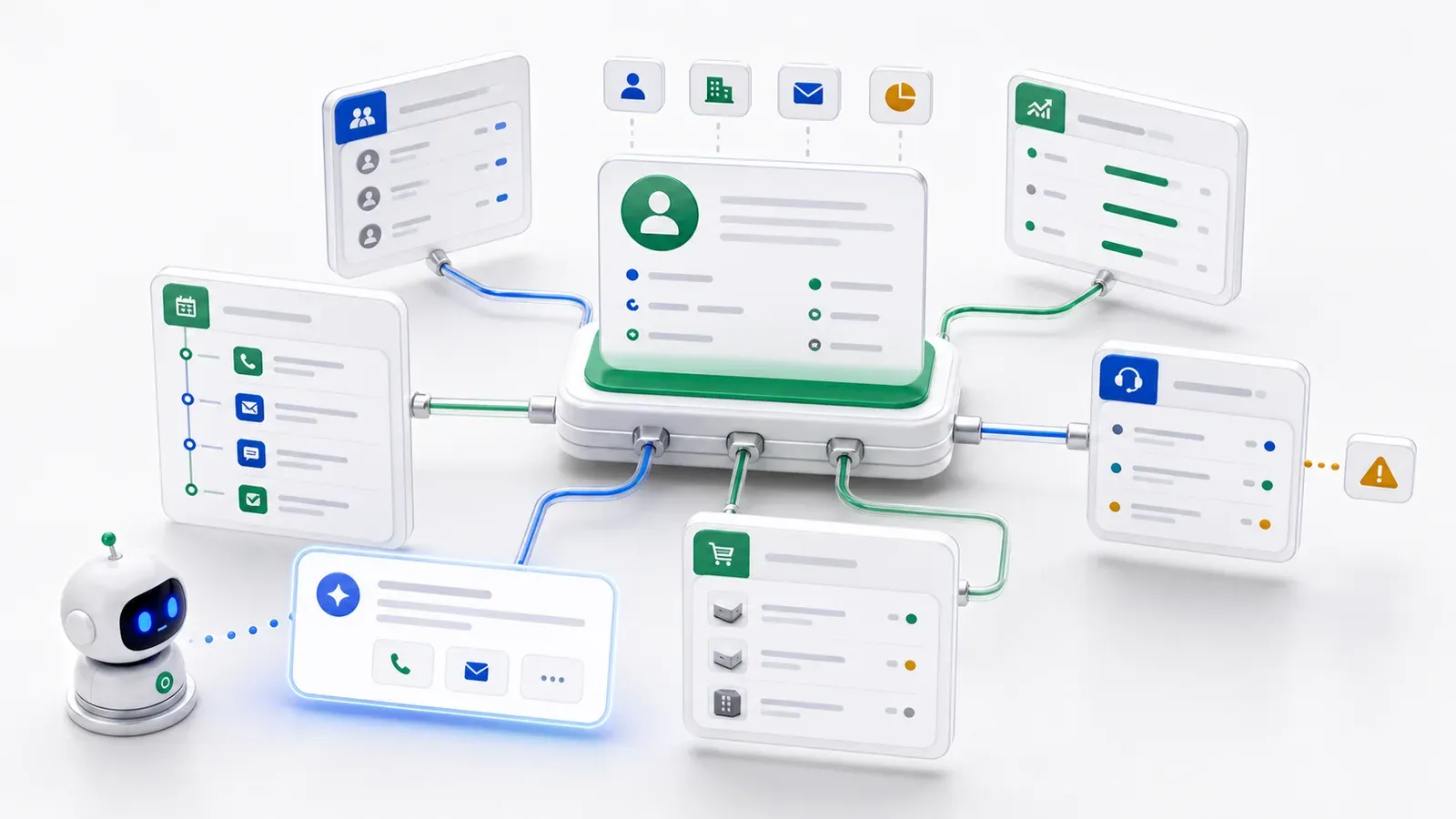
First, the data is scattered. Accounts live in one table, contacts in another, opportunities in another, plus custom notes, files, cases, contracts, and activities. Humans understand the relationships. AI does not, unless those relationships are modeled.
Second, permissions are blurry. Sales reps can see their own accounts. Regional managers can see their region. Executives can see the whole pipeline. If AI connects with admin access, it is not intelligence. It is privilege escalation.
Third, the semantics are missing. In the database, fields may be named acct_id, opp_stage, or last_touch_at. Developers know what they mean. Sales teams know the business meaning. AI sees field names unless the system provides business-level structure.
So the key to AI on CRM is not “give the database to the model.” It is to describe the important CRM concepts clearly.
What is an account? What is an opportunity? What is a contact? What is an activity? Which fields are sensitive? Which relationships can be queried? Which actions are allowed? Which actions require human confirmation?
Once those boundaries are clear, AI can work safely.
Step one: model the core CRM objects
You do not need to model the entire CRM on day one. Start with the five objects that matter most:
- Account;
- Contact;
- Opportunity;
- Activity;
- Task.
For a more complex business, you can add:
- Quote;
- Contract;
- Case;
- Payment.
These objects are not just translations of database tables. They should carry business meaning:
- Field labels;
- Field types;
- Required rules;
- Option meanings;
- Relationships between objects;
- Who can view and edit;
- Which fields should not be exposed to AI;
- Which actions require human approval.
After this, AI no longer sees a pile of tables. It sees a business map it can reason over.
Step two: begin with read-only analysis
The safest first stage is read-only.
AI can query customers, opportunities, and activity history, but it cannot change CRM records. This lets the team validate value without taking write risk.
The first useful capabilities are straightforward:
- Account summaries: enter an account name and get recent activity, current opportunities, and risks;
- Pipeline inspection: find large, stale, or late-stage opportunities that need attention;
- Sales weekly reports: summarize progress by rep, region, and stage;
- Churn signals: detect accounts with no recent interaction, unresolved issues, or approaching renewal dates;
- Meeting preparation: summarize history and open questions before a customer call.
None of this requires AI to write to CRM. It still reduces work for sales managers and sales operations.
Step three: let AI suggest before it acts
After read-only analysis works, the next step is not to let AI freely edit CRM. The next step is suggestions.
For example:
- Suggest creating a follow-up task for an account;
- Suggest marking an opportunity as at risk;
- Suggest reminding the owner to update the next step;
- Suggest adding a customer to a renewal nurture list;
- Suggest sending an exception list to a manager.
At first, a human confirms these suggestions before they are written back.
Once the patterns are stable, low-risk actions can be automated. A stale opportunity can trigger a reminder task. A renewal date can start a renewal workflow. A high-value account with an unresolved support case can be escalated to a manager.
The key is layering:
Queries can open first. Suggestions need confirmation. Automatic writes belong only to low-risk actions.
That path is more realistic than trying to build a fully autonomous sales agent on day one.
Step four: connect CRM to the rest of the business
CRM is rarely the whole truth.
Sales may say an account is strategic, while the support system shows repeated complaints. A deal may look ready to close, while ERP shows inventory risk. A renewal may be approaching, while finance shows unpaid invoices.
If AI can only read CRM, it still sees a partial picture.
The real value comes when AI can understand the customer across systems:
- Accounts and opportunities in CRM;
- Cases and satisfaction signals in support;
- Orders and shipments in ERP;
- Payments and credit terms in finance;
- Contracts and renewal dates in contract management.
That is why connecting existing systems matters. Enterprise data already lives across multiple systems. AI needs a business layer that understands objects, relationships, and permissions.
Five questions before starting a CRM AI project
If you are evaluating AI on CRM, start with five questions:
- What are the ten sales management questions we most want AI to answer?
- Which objects do those questions require: accounts, opportunities, activities, contracts, cases, or payments?
- Which fields are sensitive and should not be exposed to AI?
- Should phase one be read-only, or can AI create tasks and reminders?
- What can reps, managers, and executives each see?
Answering these questions matters more than choosing a model first.
ObjectOS’s approach: help AI understand CRM, not bypass it
ObjectOS does not require you to replace your CRM first. A more realistic path is to connect the existing CRM database or API, model the key tables as objects, and let AI access business data through those objects and permissions.
That way, AI understands accounts, opportunities, contacts, and activities, without bypassing your existing permission and audit model.
For a business, this is the right starting point:
- Data stays where it is;
- The CRM keeps running;
- Permissions are not bypassed;
- Start read-only, then suggestions, then automation;
- Every step can be audited.
The value of AI in CRM is not just helping reps fill in fewer fields. It is helping management understand the real state of customers and opportunities in time to act.
The earlier you start, the earlier that feedback loop improves.