Why Low-Code Breaks Down in Complex Businesses, and What Makes an AI-Native App Platform Different
Low-code helps teams build pages and workflows faster, but complex business systems are constrained by objects, permissions, integrations, change, and maintainability. AI-native platforms solve a different layer of the problem.

Low-code gave enterprises an attractive promise:
Build applications without writing much code. Let business teams drag, drop, configure, and ship.
That promise is not false. Forms, lists, approval flows, and simple reports can move quickly on low-code platforms. Many internal tools and lightweight workflows are good fits.
The problem starts when the business becomes complex.
The difficulty is not that the button is hard to drag. The difficulty is that complex business systems are not mostly about pages.
Low-code is good at starting. It is weaker at long-term evolution.
A simple application often starts smoothly:
- Add a few fields;
- Drag a form;
- Configure a list;
- Add an approval flow;
- Assign a few roles.
It goes live in a week. Everyone is happy.
The real pain usually begins in month two.
The business asks: this field should only be visible to one department; approvals above $100,000 need a different path; customer tier changes the calculation; this flow must integrate with ERP; the report needs a new definition; historical data cannot be touched; records must be isolated by region; this action requires audit.
Each request makes sense. Together, they turn the platform configuration into hidden code.
You think you escaped code, but the complexity has simply moved into screens, conditions, and platform-specific configuration.
Where complex business systems are actually hard
Complex business software has at least five hard parts.
First, the object model.
Customers, orders, contracts, cases, equipment, employees, inventory - these are not isolated forms. They are business objects with relationships, lifecycles, states, and permissions.
Second, the permission model.
Who can view, edit, approve, export, see cross-department records, or see financial fields? These questions cannot be solved only at the page level. They need object-, record-, field-, and action-level controls.
Third, integration.
Enterprises rarely have one system. A workflow may touch CRM, ERP, finance, support, contracts, and messaging. If a low-code platform is fast only inside its own boundary, the system still slows down at integration points.
Fourth, continuous change.
Business rules change. Organization structures change. Approval policies change. Product lines change. If the system cannot be understood and modified safely, it becomes a burden again.
Fifth, maintainability.
Going live is not the finish line. Six months later, who understands why the system is configured this way? One year later, who feels safe changing it? When a new person takes over, can they understand the whole system?
Low-code’s central weakness is here: it speeds up the first build, but it does not always make long-term evolution simpler.
AI makes the weakness more visible
In the past, the main users of low-code were humans.
A human can click through screens and inspect configurations. It is slow, but possible.
With AI, the requirement changes: the system must be understandable to AI as well.
If business rules are scattered across configuration pages, hidden scripts, conditional expressions, and proprietary widgets, AI cannot easily understand the system as a whole. It does not know which rule is core and which one is a historical patch. It does not know what will break if one field changes. It does not know which actions touch permission boundaries.
This creates an awkward result:
Low-code reduced handwritten code, but it may have made the system harder for AI to understand.
That is the line between traditional low-code and an AI-native application platform.
AI-native does not mean “low-code plus a chat box”
Many products add a chat box to a low-code platform and call it AI-native.
That is not enough.
The core of an AI-native application platform is not AI helping you drag controls. It is making the application itself readable, changeable, and verifiable by AI.
That means the core of the application should live in clear metadata and source-level declarations:
- What the objects are;
- What the fields are;
- What the relationships are;
- What the permissions are;
- What the actions are;
- What the workflows are;
- Where the UI comes from;
- Where the API comes from;
- Which rules can run automatically;
- Which actions require human confirmation.
When those structures are explicit, AI can do real work.
It can understand the current system, generate a change, explain the impact, help write tests, flag permission risks, and turn a requirement into a reviewable set of modifications.
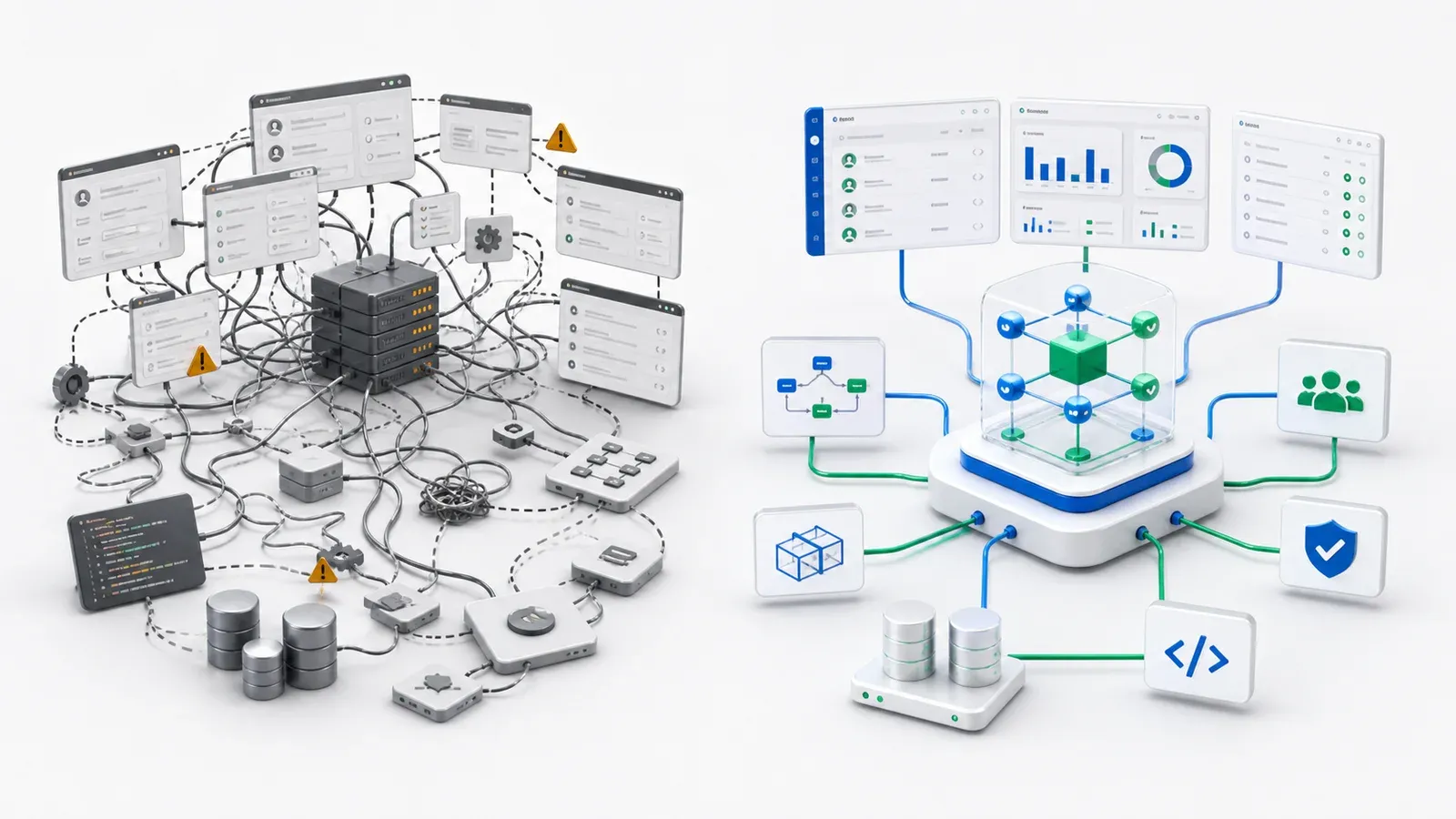
Difference one: low-code starts with pages; AI-native starts with objects
Low-code platforms often start from the page: a form, a list, then a workflow.
An AI-native platform should start from objects.
Take an equipment repair application. The core is not the repair form. The core is:
- Equipment;
- Repair request;
- Technician;
- Service record;
- Priority;
- Status;
- Assignment action;
- Close rule.
Once those objects are defined, forms, lists, APIs, permissions, search, reports, and AI tools can all be generated from the same model.
That creates a major benefit: the system no longer has five competing definitions. AI does not need to guess across UI, API, and database layers.
Difference two: low-code hides rules in configuration; AI-native makes rules explicit
Complex systems are dangerous when rules are hidden.
Why does this field appear only in one status? Why does this approval need another step? Why can this role view financial fields? If the answer lives in a corner of a configuration UI, the system becomes harder to change every month.
AI-native systems should do the opposite. Rules should be explicit and readable.
Business users should understand the intent. Developers should review the details. AI should be able to use the structure to propose changes and analyze impact.
That is the foundation of maintainability.
Difference three: low-code optimizes for less code; AI-native optimizes for reviewable change
Writing less code is not the final goal.
Enterprises need every change to be understandable, reviewable, and reversible.
In many low-code systems, someone clicks through configuration screens and the system changes, but version diffs, code review, testing, and release discipline may be weak. That might be acceptable for small teams. It is much harder for larger enterprises.
An AI-native platform should turn AI output into reviewable artifacts:
- Which object changed;
- Which field was added;
- Which permission rule changed;
- Which workflow action was added;
- Which APIs are affected.
AI should not bypass engineering. It should enter the engineering process.
Difference four: low-code works best for isolated apps; AI-native must understand existing systems
Enterprises rarely start from zero.
CRM is already running. ERP is already running. Finance is already running. Old custom systems are still running. New applications cannot pretend the world is blank.
A common low-code path is to move data into the platform or recreate the data model inside the platform.
A more realistic AI-native path is to connect existing systems, model external data as objects, and let new applications, AI agents, workflows, and APIs operate on top of those objects.
That is why integration and data are central to AI adoption. Without connection, AI performs inside a new silo. With connection, AI can reach the actual business.
Does this mean low-code is useless?
No.
Low-code is still useful for:
- Temporary forms;
- Simple approvals;
- Small internal tools;
- One-off data collection;
- Department-level lightweight apps.
But if you are building a long-running business system, especially one that needs AI, permissions, multiple systems, and continuous change, low-code alone is often not enough.
You need more than “fast to build.” You need “still understandable and governable later.”
A simple evaluation checklist
If you are choosing a platform, ask six questions:
- Are business objects first-class, or are they just data behind forms?
- Can permissions reach object, record, field, and action levels?
- Can AI understand the system structure, not just the UI?
- Can every change be versioned, reviewed, and rolled back?
- Can the platform connect existing systems instead of forcing migration?
- Can a new owner understand the system six months later?
If the answer is mostly no, the platform may be a faster builder, but not a platform for complex AI-era business systems.
ObjectOS’s position
ObjectOS is not low-code with a new label.
We care about turning business systems into structures that both people and AI can understand, modify safely, and evolve over time.
That means starting from objects, not pages. It means starting with permissions and audit, not adding security at the end. It means connecting existing systems, not asking every company to rebuild.
The real job of an AI-native application platform is not saving a few lines of code.
It is answering a deeper question: as business changes faster and AI starts participating in build and maintenance work, can your systems still be understood, changed safely, and allowed to keep growing?
That is the layer worth rebuilding after low-code.