Retool vs Lovable for Enterprise Apps: Which Should You Choose?
Who can change an AI-built app, who approves it, which permissions it runs under, what the audit log records and how you leave: Retool and Lovable from their own docs, with ObjectStack 18.6.0 measured beside them.
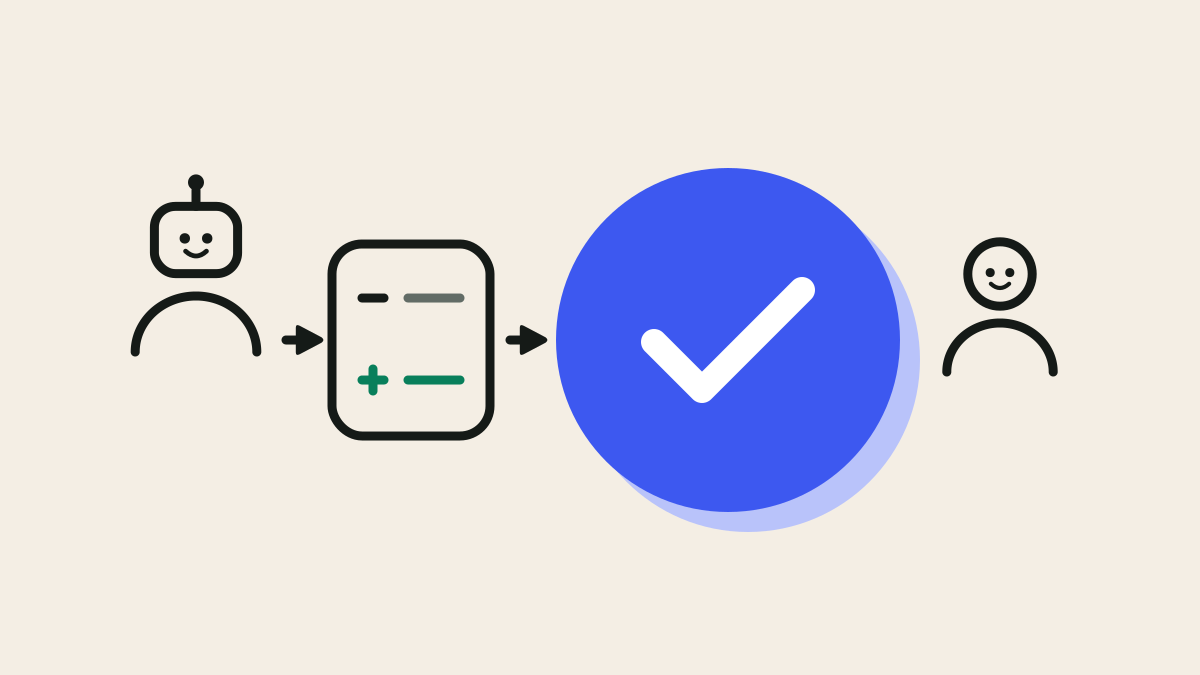
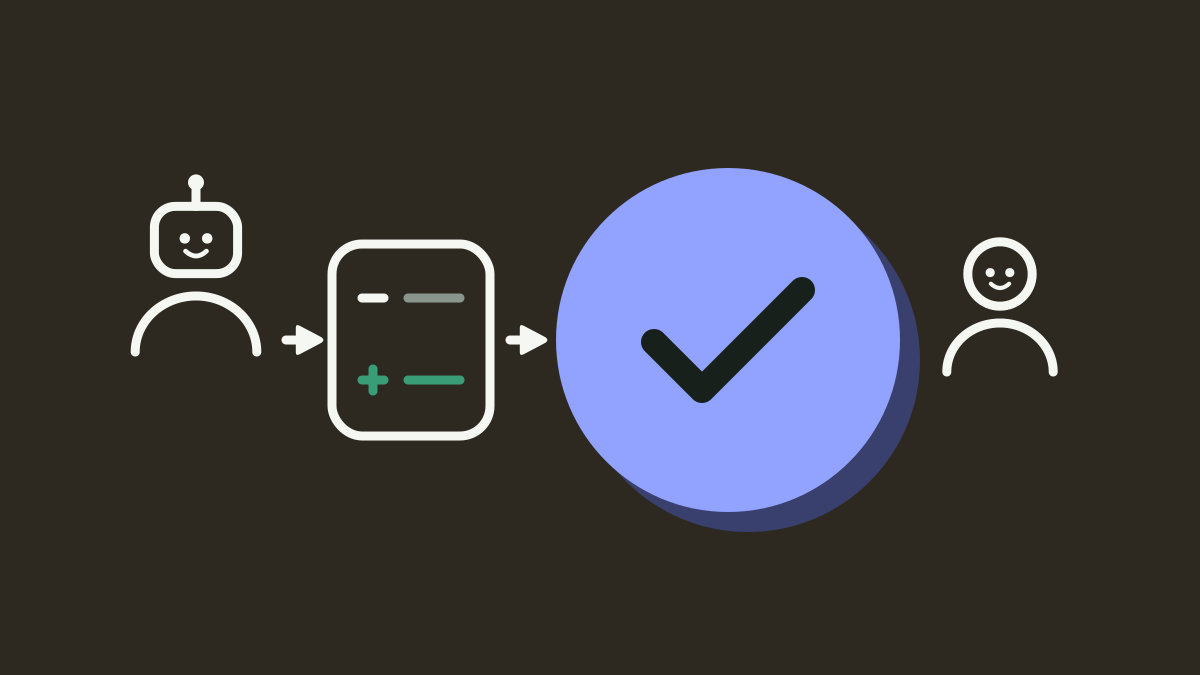
Choose by who will change the app. For engineers building on existing databases, pick Retool: its AI stays within access you have granted and its audit log starts on its Business plan, but on Free and Team its All Users group can edit every app, and pull-request review takes its top plan. For business teams generating whole apps, pick Lovable: it builds and hosts the app, its Git sync allows pull-request review on every plan, and its top plan can hold public apps for an admin’s or owner’s approval. But its AI writes the data-access rules, which do not bind the app’s privileged server account. Either way, someone answers for what the AI built.
Every Retool and Lovable claim below is quoted from that vendor’s public docs or pricing page, read on 17 November 2026. The ObjectStack results were measured on ObjectStack 18.6.0, the version a new install gets today. Sources and transcripts are in The proof.
The question behind the comparison
If you searched for this comparison, you have probably already accepted that an AI will build the app. The open question is what happens after it does. Three requests will reach the IT lead, usually in this order: a business owner wants a change, an auditor asks who approved the last one, and someone asks what the app did to a particular record on a particular day. So the useful comparison is not how fast each tool builds. It is where in each tool those three requests get answered, and by whom.
Retool’s docs describe an app builder where “the primary development experience of apps is by prompting an AI agent with natural language”, working with the databases and services your company already connects to Retool. This post describes that AI app builder, which Retool calls Apps, not its classic drag-and-drop apps. Lovable’s docs describe a tool that generates the whole app (screens, server and database) and by default hosts it. We covered each one in the Retool post and the Lovable post, and more platforms on our compare page.
Seven questions, two vendors
Each cell says what the vendor’s own docs or pricing page say. A bold tag names the plan a feature needs where the vendor limits it. Three terms come up: a pull request is a proposed change, in your code repository (for example GitHub), that someone approves before it takes effect; Git sync is Lovable’s two-way copy of an app’s code into your code repository; MCP is the protocol AI assistants use to connect to other software.
| The question you will be asked | Retool | Lovable |
|---|---|---|
| Who can change the app? | Builders, who can also publish; and “internal users” (employees who use apps), who can create apps but not publish them. Free, Team: fixed groups; All Users can edit every app. | Editors and above. Workspace members “can see, edit, and publish the workspace’s projects”. Business, Enterprise: a project can be restricted to invited people. |
| How is a change reviewed before users see it? | Changes stay in a separate working copy with its own preview. The AI asks before running anything that writes data. | Drafts show “a one-line summary of what the draft changes” and the edits before acceptance. All plans: Git sync can add pull-request review. |
| Who approves? | A builder publishes; an internal user’s app needs a builder. Enterprise: for an app under source control, merging a pull request publishes, with an app preview for reviewers. | By default, “editors and above can publish”. Enterprise: policies can require an admin or owner to approve public apps, apps using connectors, or outside collaborators’ publishing. |
| What permissions does the running app enforce? | Users need access to a data source to run its queries. Business, Enterprise: per-group control. On PostgreSQL resources with enforcement turned on, policies apply to every query, “including … agents”. | Database rules its AI writes; you read them and change them through chat. They do not apply to the app’s privileged server account. A scan on every publish “checks database access rules”. |
| What does the audit log record? | Business, Enterprise: every query run and user actions in Retool, with MCP clients tagged. Kept one year on Retool’s cloud. Enterprise: streaming to Datadog or Splunk. | Enterprise: workspace activity, including members, projects, prompts and publishes. Kept 13 weeks; scheduled export to your security-monitoring system. |
| Where do the data and the definition live? | Apps use your connected databases and services; the app lives in Retool. Enterprise card: “Retool Cloud, self-hosted, or air-gapped” (air-gapped: no internet connection). | Code in “Lovable’s managed infrastructure” by default; Git sync (all plans) can keep a copy in your repository. Database: Lovable’s, or one you connect, such as Supabase. |
| Where does it stop, and how do you leave? | Running an exported AI-builder app outside Retool is listed as not yet supported (classic apps may differ). Enterprise: an app placed under source control keeps its source in your repository. | Docs: “you are never locked in”; code and data can be exported. Accepting a draft “can change your live app’s backend immediately”. Backend logs (separate from the audit log) “do not prove who made a particular database change”. |
What the table shows:
- Approval happens at a different step. In Retool it is publishing, or on Enterprise the merge of a pull request. In Lovable it is accepting a draft and then publishing, with an admin’s or owner’s approval on Enterprise for the kinds of publishing a policy names. The two differ in what the approver is shown.
- The two audit logs answer different questions. Retool’s log records user actions in Retool, “such as query runs and password resets”. Lovable’s log records workspace activity; its listed events include “Prompt sent”, “Project published externally” and “Database query executed”. Write down your auditor’s question first, then check which log answers it.
- The controls cost a higher plan. Retool’s pricing page lists rich permission controls and audit logs from Business, and Git source control on Enterprise only; Lovable’s docs mark audit logs and publishing approval as Enterprise only.
When Retool is the better choice
Pick Retool when the apps are internal tools on systems you already run, and the people building them are engineers or technical staff. Its strongest point for an IT lead is that the AI never gets more reach than the builder has: its security page says “the LLM cannot read or write any resource data the user is not already authorized to access”, and the AI asks the builder before it runs anything that writes, inserts, updates or deletes data. Its audit log records each query an app’s users run, with the exact query and its parameters, and tags actions from AI assistants connected through Retool’s MCP server. If your auditors ask what a user did in an internal tool, that log answers directly. The limit to know: running an app made in its AI app builder outside Retool is listed as not yet supported. Budget for Business if you need per-group permissions and the audit log, and for Enterprise if every change must go through a pull request in your own repository.
When Lovable is the better choice
Pick Lovable when business teams need to go from an idea to a working app on their own, and the app can live on a server and database that Lovable runs for you. It builds the screens, server and database together, hosts them, and lets people try changes in a draft before accepting them. Its Git sync works on every plan, so your developers can send its changes through the same pull-request review they already use; publishing the app stays a separate step. Lovable offers single sign-on from its Business plan, where Retool lists it on Enterprise only. Budget for Enterprise if you want an admin or owner to approve before an app is made public, uses a connector, or is published by an outside collaborator; the audit log and scheduled security scans are Enterprise too. Its docs make a plain promise about leaving: “you are never locked in. You can export your code, migrate your data, self-host parts or all of your stack, or move to another provider at any time.” The same page lists what you take on if you do leave, including “Implementing authentication and enforcing data isolation policies”.
What we measured on ObjectStack
ObjectStack, which we build, takes a third approach: the app’s definition is a set of plain files, and the running app enforces what they say. We ran these checks on the open-source CRM example that ships with ObjectStack 18.6.0, a demonstration app rather than a customer system. The sales-rep role may read, create and edit deals, but not delete them.
| What we did | What the system answered | What it means for you |
|---|---|---|
| An AI agent, using an access key created for a sales-rep account, tried to delete a deal through MCP. | Refused twice: first because the call carried no confirmation, then, with the confirmation, because sales reps may not delete deals. | A delete over MCP must carry an explicit confirmation, and even then the agent gets only the rights of the account it uses. |
| A sales rep tried the same delete through the app’s API. | Refused. | The rule holds for people and agents alike. |
| The agent moved the deal from “prospecting” to “qualification”, which sales reps may do. | One audit row: the agent’s account, the deal, and the stage before and after. The refused deletes left no row. | You can show what an agent changed and when. Refusals are only in the server log. |
| The sales rep asked to read the audit log. | Refused. | A sales rep cannot read who did what; reading the log takes a role that grants it. |
| An AI agent changed the app’s files so the sales role could delete deals. | The platform’s first check of the files passed. The build stopped with one line naming the change, and stayed stopped until the accept command was run (in our run, by the same agent; see the limits below). | The change cannot take effect unseen, but a person still has to review the one-line change that accepting it produces. |
The last check is the mechanism behind Should your business app live in a database or a repository? and How do you catch an AI’s silent permission change before it ships?, which explain it in full. How opening a record is audited, and the limits of that record, are in Can you prove who opened a customer record, including an AI agent?
What ObjectStack does not do
- It does not judge whether a change is right. The platform’s first check passed the delete permission without comment. The build stopped only because this example app keeps an access table. A new app has no such table until you switch it on, and the automatic checks a new project ships with run the first check, not the build.
- It does not stop the agent from accepting its own change. Accepting is one command that anyone, or anything, with access to the files can run. It becomes a review only when that one-line change goes through your pull-request process with a person’s approval.
- It does not record refused attempts in the audit log. Both refused deletes appear only in the server’s log, a separate place from the audit log.
- It does not know an agent from a person. The audit row names the account the agent’s access key belongs to, and nothing on the row says “AI”. Give each agent its own account, or the log will name a person for what the agent did.
- It does not keep every change in files. A running environment can also hold edits made in its admin screens or through its API, and those edits take precedence over the files. Which changes must go through the files is a policy you set.
- It is younger than both vendors. ObjectStack’s own comparison page says: “ObjectStack is younger; expect to build more of it yourself.”
How to choose
Retool and Lovable each fit the cases described above. Look at a third option if the person who answers for the app must read who-can-do-what as a short table rather than as code, and must see every change to it before it takes effect. That is the case ObjectStack is built for, with the limits listed above; to try it on your own process, point your agent at ObjectStack.
Whichever you choose, ask the vendor three questions and keep the answers:
- When the AI changes who can see or do what, what exactly does the approver see before users get it?
- Can the person who approves be someone other than the person who made the change?
- Which log answers “what did this user, or this agent, do to that record”, and for how long is it kept?
The proof
The vendor pages below were read on 2026-11-17; the ObjectStack commands were run on 2026-11-20.
$ npm view @objectstack/cli dist-tags.latest
18.6.0
Vendor sources
Each quote above comes from the page listed here, read on 17 November 2026 (Retool’s “Free and Team” permissions page at 04:34 UTC, the rest between 04:16 and 04:18 UTC). Claims about plans come from the vendor’s pricing page or from the plan label on the documentation page. The Retool column describes its AI app builder (“Apps”), not classic apps.
Retool
- Introduction to apps: “The primary development experience of apps is by prompting an AI agent with natural language in threads.” “Retool only explores and connects resources for which the user has Edit permission.” “Enterprise users can also utilize Source Control to version apps and track changes using a git-based workflow.” “Apps use resources to connect to your business data.”
- App builder: “It is available to both internal users and builders, but only builders can publish apps.”
- Permission levels: Edit on an app means “Build and modify the app. Release, rename, export, delete the app.”; Use means “Interact with the app as an end user. Cannot open the editor.”
- Permissions on Free and Team plans: “On Free and Team plans, Retool provides a fixed set of default groups that control what users can do with apps, workflows, agents, and resources. You cannot create custom groups or configure role-based access control on these plans.” In the table for those plans, the All Users group has Edit on Apps, Workflows and Agents and Own on Resources, and “The following built-in permission groups cannot be modified or removed, and the access levels cannot be changed.” “Business and Enterprise plan users have more granular control over groups, and can create their own custom groups.”
- Publish an app: “You must be a builder to publish an app. Internal users can create apps, but they cannot publish them.” The Limitations tab is introduced with “Limitations describe functionality that isn’t yet supported in apps but may exist in classic apps.” and lists “Exported apps for use outside of Retool.”
- Threads and branches: “A branch is a set of changes to your app, associated with an app preview, and with its own change history. A branch is the unit of work that you publish.”
- App security: “The LLM cannot read or write any resource data the user is not already authorized to access.” “The agent always requests permission from the builder to run functions that change data in your resources, such as those that write, create, insert, update, or delete data.”
- Edit and publish protected apps: “Opening a pull request and integrating changes into the main branch of the repository creates a new published version of your app.” The publish checklist confirms “The shared preview is ready. This allows your PR reviewers to see your changes in an app preview.” Protect apps: “Each protected app is stored as its own directory in your repository at the /apps-v2 path.”
- Data: “Users need Use access to a resource in an environment to run functions against it.”
- Access policies: policies govern “every query Retool runs against the resource, including queries from apps, the query library, raw SQL, and agents.” “Access policies apply only to PostgreSQL resources.”
- Audit logs: “Retool automatically logs user actions, such as query runs and password resets.” The detail includes “the exact query, the parameters passed”. Events from MCP carry a tag for “An AI client connected to Retool’s MCP server.” On cloud: “Audit logs are retained for one year.”
- Pricing, plan comparison table:
- “Rich permission controls” (“Grant data-level and role-based permissions for granular control over app and data access.”) is “—” on Free and Team, “Included” on Business and Enterprise.
- “Audit logs” (“Track every query run against your databases and APIs, as well as user actions taken in Retool.”) is “—” on Free and Team, “Included” on Business and Enterprise.
- “Source control” (“Use branch-based editing processes that are compatible with Git.”) and “Custom SSO” are included on Enterprise only. The plan cards list “Git source control” and “SSO, SCIM, 2FA” as “Not included” on Business.
- The Enterprise card lists “Retool Cloud, self-hosted, or air-gapped” and “Audit logs + streaming”.
Lovable
- Lovable for Enterprise: “By default, project code lives in Lovable’s managed infrastructure.” Roles: “All paid plans. Owner, admin, editor, viewer, and external-collaborator.” “Quick scan runs on every publish and checks database access rules, dependencies, and MCP server exposure.” Workspace SSO is marked “Business and Enterprise”. Data exports: “Enterprise only. Scheduled exports of audit logs to Splunk, Azure Log Analytics, Amazon S3, Google Cloud Storage, or Azure Blob Storage.” Scheduled Deep scans, publishing approval and audit logs are marked “Enterprise only”.
- Collaboration: “By default, editors and above can publish projects on all plans.” In the project permissions table, “Edit project” is “No” for Viewer and “Yes” for Editor, Admin and Owner. Workspace members “can see, edit, and publish the workspace’s projects (unless a project’s access is restricted)”. “A draft’s edits reach the project only when someone accepts it.”
- Drafts: “Lovable shows you a one-line summary of what the draft changes, followed by the draft’s edits.” “Accepting can change your live app’s backend immediately, before you publish.”
- Workspace policies: the policies restrict publishing “with unresolved sensitive data findings”, publishing “by external collaborators”, publishing “that makes an app public”, publishing of “apps that use connectors”, and enabling “Lovable backend services”. “When no policy applies, Lovable publishes the app or enables the backend without a review.” “You cannot write your own conditions, choose different approvers, or send requests to specific people.”
- Git sync: two-way sync with github.com, GitLab.com and Bitbucket Cloud, each marked “(all plans)”. “If your team requires a pull or merge request for every change to
main, switch Lovable to a feature branch of its own and merge its work through the same review process.” “Lovable edits and syncs one branch at a time.” - Control who can access your app’s data: “Lovable sets up these rules automatically when it builds features that store user data.” “The policies view is read-only. To change a policy, ask Lovable in the project chat.” “Your policies do not apply to
service_role, so server code that usesservice_rolemust check permissions itself.” - Built-in backend: “Lovable hosts your app and includes a built-in backend with database, authentication, storage, edge functions, and AI.” The built-in backend is named “as opposed to an external backend you connect yourself, such as Supabase”.
- Audit logs: “Available on: Enterprise plans”. Example events include “Prompt sent” and “Database query executed”. “Logs are retained for 13 weeks, or approximately 90 days.”
- Logs, the backend diagnostic logs. FAQ question: “Can I use these logs as audit evidence?” Answer: “Not on their own. Logs help you diagnose problems, but they do not prove who made a particular database change.”
- Deployment, hosting, and ownership options: “Lovable is intentionally built so that you are never locked in. You can export your code, migrate your data, self-host parts or all of your stack, or move to another provider at any time.” If you stop using Lovable, you become responsible for, among other things, “Implementing authentication and enforcing data isolation policies”.
ObjectStack documentation, at the 18.6.0 release tag (commit 958ee03): “ObjectStack is younger; expect to build more of it yourself.” and “Reads walk top-to-bottom: the first non-null layer wins. Writes always route to the topmost writable layer (the overlay).”, where the overlay holds edits made in a running environment and sits above the files
The app
examples/app-crm from the ObjectStack repository at the tag @objectstack/[email protected], with its dependencies pinned to the published 18.6.0 packages. Its security file gives the crm_sales_rep position the crm_sales_user permission set, which may read, create and edit crm_opportunity (deals) but not delete them. The app is opted in to the access-matrix check: an access-matrix.json sits next to objectstack.config.ts.
$ npx os --version
@objectstack/cli/18.6.0 linux-x64 node-v22.22.0
1. The AI’s change, the build’s refusal, the reviewed diff
The edit, on line 50 of src/security/sales-positions.ts:
-    crm_opportunity: { allowRead: true, allowCreate: true, allowEdit: true, allowDelete: false },
+    crm_opportunity: { allowRead: true, allowCreate: true, allowEdit: true, allowDelete: true },
npx os validate printed ✓ Validation passed with four unrelated field warnings and exited 0. npx os compile ran the same 71 author-time rules and then:
  → Checking access-matrix snapshot (ADR-0090 D6)...
  ✗ Access matrix drift (1 change) — capability changes must be reviewed
  • 'crm_sales_user' gains delete on 'crm_opportunity'
  If intended, re-run with --update-access-matrix and commit the snapshot — its diff IS the review artifact.
compile exit 1
Accepting it, npx os compile --update-access-matrix, exited 0 with Access matrix snapshot written to access-matrix.json (ADR-0090 D6) — review the diff. The snapshot’s diff:
@@ -51,7 +51,7 @@
       "create": true,
       "read": true,
       "edit": true,
-      "delete": false,
+      "delete": true,
       "viewAllRecords": false,
       "modifyAllRecords": false,
       "sharingModel": "public_read_write"
The edit was then reverted, so the app below runs with the original permission set.
2. The refused deletes
The app was started with npx os dev --compile --no-watch. Its boot printed Tenancy: single and Seeds: com.example.crm 28 rows. Two accounts were created through the admin API, [email protected] and [email protected], and each was given the crm_sales_rep position. Both signed in with the positions org_member, crm_sales_rep and everyone. agent-svc minted an API key, the identity an AI agent connects with.
The rep, over the REST API:
$ curl -X DELETE -b rep.cookies http://localhost:49890/api/v1/data/crm_opportunity/DQ_aJg8_eTxq6Upb
{"error":"You do not have permission to perform this action. Contact your administrator if you need access.","code":"PERMISSION_DENIED","object":"crm_opportunity"}
HTTP 403
The agent, over MCP with its key: tools/call delete_record { objectName: "crm_opportunity", recordId: "DQ_aJg8_eTxq6Upb" } answered first:
{ "error": { "code": "ACTION_CONFIRMATION_REQUIRED",
  "message": "delete_record on 'crm_opportunity' record 'DQ_aJg8_eTxq6Upb' carries no confirmation — nothing was deleted. Deleting is destructive even where the recycle bin keeps the record. When the human's request named exactly this one record, that request is the approval: retry this call with 'confirm': true on the request. When the name matched more than one record, or the request is a bulk delete, ask the human first, then retry.",
  "status": 428 } }
and, retried with "confirm": true:
{ "error": { "code": "PERMISSION_DENIED",
  "message": "You do not have permission to perform this action. Contact your administrator if you need access.",
  "status": 403 } }
The server log for the two refusals:
WARN [Security] Access denied: operation 'delete' on object 'crm_opportunity' is not permitted for positions [org_member, crm_sales_rep, everyone] {"userId":"cD26sPqk1jy4CDl8e1J9QbiqjGBuoJ1U", …}
WARN [Security] Access denied: operation 'delete' on object 'crm_opportunity' is not permitted for positions [org_member, crm_sales_rep, everyone] {"userId":"DgXiKK9ylkNiTWymVL2FEpBScCRNDZpe", …}
3. The agent’s edit and its audit row
Over MCP, update_record { objectName: "crm_opportunity", recordId: "DQ_aJg8_eTxq6Upb", data: { stage: "qualification" } } returned the record with "stage": "qualification" and "updated_by": "DgXiKK9ylkNiTWymVL2FEpBScCRNDZpe", the agent’s account. The admin’s query of the audit log for crm_opportunity then returned "total": 1, this row:
{
  "created_at": "2026-11-20T02:35:32.022Z",
  "action": "update",
  "user_id": "DgXiKK9ylkNiTWymVL2FEpBScCRNDZpe",
  "actor": "DgXiKK9ylkNiTWymVL2FEpBScCRNDZpe",
  "object_name": "crm_opportunity",
  "record_id": "DQ_aJg8_eTxq6Upb",
  "old_value": "{\"stage\":\"prospecting\"}",
  "new_value": "{\"stage\":\"qualification\"}",
  "ip_address": null,
  "user_agent": null,
  "tenant_id": "org_mwod7busb94gl9il",
  "metadata": null
}
There is no row for either refused delete. The same query sent with the rep’s session answered HTTP 403.
4. A new project has no access table
The [email protected] package, which npm create objectstack@latest runs today, contains no access-matrix.json in its template, and the template’s CI workflow runs pnpm validate, not the build. The first os compile --update-access-matrix in a new project is the opt-in.